
Chatki Bet App: Overview
The Chatki Bet app brings the full betting and gaming experience to your Android smartphone. Designed for the Ethiopian market, the app provides a streamlined, fast-loading interface that gives you access to sports betting (pre-match and live), virtual casino games, jackpot draws, special games, account management, deposits, and withdrawals — all from a single application on your phone.
The app is distributed as an APK file (Android Package Kit), which is the standard format for Android applications that are not available through the Google Play Store. This is common practice in the Ethiopian market, where betting apps are typically not listed on mainstream app stores due to regional policies. Instead, they are made available for direct download from the operator's website.
For iPhone and iPad users, there is no dedicated Chatki Bet app on the Apple App Store. However, the full platform is accessible through the mobile Safari browser, and the responsive web design ensures a near-native experience. iOS users can add the website to their home screen for quick access, essentially creating a web app shortcut.
What the App Offers
- Sports Betting: Full access to the sportsbook, including football (Ethiopian Premier League, EPL, La Liga, Serie A, Bundesliga, Champions League, AFCON), basketball, tennis, and more.
- Live / In-Play Betting: Place bets on matches that are already underway, with real-time odds updates.
- Virtual Casino: Access to virtual slot games, live casino, and other RNG-based entertainment.
- Jackpot Games: Predict outcomes across multiple fixtures for a chance at larger prizes.
- Special / Instant Games: Quick-play games with rapid outcomes.
- Account Management: Register, log in, manage your profile, and review your betting history.
- Deposits & Withdrawals: Fund your account and cash out winnings via telebirr, CBE Birr, M-Pesa Ethiopia, HelloCash, Amole, Ebirr, and Bank Transfer.
- Notifications: Push notifications for bet results, promotions, and platform updates.
How to Download the Chatki Bet APK for Android
Downloading and installing the Chatki Bet app on an Android device is a straightforward process. Follow these steps carefully to ensure you get the official app and install it correctly.
Step 1: Visit the Official Chatki Bet Website
Open your mobile browser (Chrome, Firefox, or any browser on your Android device) and navigate to the Chatki Bet website. Look for the \"Download App\" or \"Mobile App\" section — this is usually prominently displayed on the homepage or in the site's menu.
Step 2: Download the APK File
Tap the download button to begin downloading the Chatki Bet APK file. Your browser may show a warning that the file could be harmful — this is a standard Android warning for any app downloaded outside the Play Store. As long as you are downloading from the official Chatki Bet website, the file is safe to proceed with.
Step 3: Enable Installation from Unknown Sources
By default, Android blocks the installation of apps from sources other than the Google Play Store. To install the Chatki Bet APK, you need to enable this option:
- Go to your device's Settings.
- Navigate to Security (or Privacy on some devices).
- Find the option \"Install from unknown sources\" or \"Unknown sources\".
- Enable this option for your browser (e.g., Chrome).
- On newer Android versions (8.0+), you may be prompted to grant this permission specifically for the browser or file manager when you first attempt to install.
Step 4: Install the APK
Once the download is complete, open the APK file from your browser's download manager or from your device's notification bar. Tap \"Install\" when prompted. The installation should take only a few seconds.
Step 5: Open and Log In / Register
After installation, you can open the Chatki Bet app from your app drawer or home screen. If you already have an account, log in with your mobile number and password. If you are new, tap \"Register\" to create an account (you must be at least 21 years old).
Download Chatki Bet APKChatki Bet on iPhone / iOS
At the time of this review, there is no dedicated Chatki Bet application available on the Apple App Store for Ethiopian users. This is consistent with the broader market reality — most Ethiopian betting operators distribute their Android apps via APK download, while iOS users access the platform through mobile browsers.
How to Use Chatki Bet on iPhone
- Open Safari: Launch the Safari browser on your iPhone or iPad.
- Visit Chatki Bet: Navigate to the Chatki Bet website.
- Log in or register: Use the mobile website as you would on any device. The site is responsive and optimised for iOS screens.
- Add to Home Screen (optional): For quicker access, tap the Share icon (the square with an arrow) in Safari, then select \"Add to Home Screen.\" This creates a shortcut icon that looks and behaves like a native app icon.
iOS vs. Android Experience
The mobile website on iOS provides access to all the same features as the Android app: sports betting, live betting, virtual casino, jackpots, special games, deposits, and withdrawals. The main differences are:
- No push notifications: The mobile website cannot send push notifications the way a native app can. You will need to check the platform manually for bet results and promotions.
- Slightly different interface: While the web version is well-optimised, it may not feel quite as smooth as a native app for certain interactions.
- No offline features: A native app may cache some data for faster loading; the mobile website requires an active internet connection at all times.
Overall, the iOS experience on Chatki Bet is functional and user-friendly. The mobile website is designed to work well on all modern iOS devices, and you should be able to enjoy the full range of platform features without significant limitations.
System Requirements
While we do not list specific version numbers or file sizes (as these can change with app updates), here are the general system requirements for the Chatki Bet app:
Android
- A reasonably modern Android device running a current or recent version of the Android operating system.
- Sufficient free storage space for the APK file and app data. If your device is very low on storage, free up space before attempting installation.
- A stable internet connection (Wi-Fi or mobile data) for downloading the APK, installing updates, and using the app.
- \"Install from unknown sources\" enabled in your device settings (see download guide above).
iOS (via Mobile Browser)
- An iPhone or iPad running a current or recent version of iOS.
- Safari or another modern mobile browser.
- A stable internet connection.
General Tips
- Keep your device's operating system updated for the best performance and security.
- Close unnecessary background apps to free up memory when using the betting app.
- Use Wi-Fi when possible for faster loading and to conserve mobile data.
Updating the Chatki Bet App to the Latest Version
Since the Chatki Bet app is not distributed through the Google Play Store, it will not receive automatic updates via the Play Store's update mechanism. Instead, you need to manually check for and install updates.
How to Update
- Check for updates: Periodically visit the Chatki Bet website to see if a new version of the app is available. The platform may also notify you through in-app messages or notifications.
- Download the latest APK: If a new version is available, download the updated APK file following the same process as the initial installation.
- Install over the existing app: In most cases, you can install the new APK directly over the existing version without uninstalling first. This preserves your login session and app settings. If prompted, tap \"Install\" to replace the current version.
- Open and verify: After installation, open the app and check that everything works correctly.
Why Updates Matter
- Security: Updates often include security patches that protect your account and data.
- New features: Updates may add new games, betting markets, or interface improvements.
- Bug fixes: If you are experiencing crashes or glitches, an update may resolve them.
- Compatibility: As Android evolves, app updates ensure continued compatibility with your device.
App vs. Mobile Site: Which Should You Use?
Both the Chatki Bet app and the mobile website provide access to the full platform. Here is a comparison to help you decide which option is best for your needs:
| Feature | Android App (APK) | Mobile Website |
|---|---|---|
| Access | Download and install required | Instant via any mobile browser |
| Speed | Potentially faster (cached assets) | Depends on browser and connection |
| Push Notifications | Yes — bet results, promotions | No |
| Storage Space | Requires device storage | No storage needed |
| Updates | Manual (download new APK) | Always latest version |
| Virtual Casino | Full access | Full access |
| Jackpot / Special Games | Full access | Full access |
| Deposits / Withdrawals | Full access | Full access |
| iOS Support | Not available | Yes — Safari and other browsers |
| Offline Access | Limited (cached pages) | None — requires connection |
Our recommendation: If you are an Android user who bets regularly, the app provides a slightly more polished experience with the added benefit of push notifications. If you use an iPhone, or if you prefer not to install additional apps on your phone, the mobile website is an excellent alternative that provides the same core functionality.
Chatki Bet App Features
The Chatki Bet app is designed to be a comprehensive mobile betting platform. Here is a detailed look at the key features available within the app:
Sports Betting
The sportsbook section provides access to pre-match and live betting markets across football, basketball, tennis, volleyball, handball, eSports, and athletics. Football coverage is particularly extensive, with markets available for the Ethiopian Premier League, English Premier League, La Liga, Serie A, Bundesliga, UEFA Champions League, Europa League, AFCON, CAF Champions League, and CECAFA events.
Live / In-Play Betting
The live betting interface allows you to follow matches in real time and place bets as the action unfolds. Odds update dynamically to reflect the current state of play, and where available, the cash-out feature lets you settle bets early.
Virtual Casino & Slots
Access a range of virtual casino games including slot-style games with various themes, live-dealer experiences, and other RNG-based entertainment. All outcomes are determined by random number generators to ensure fairness.
Jackpot Games
Predict the outcomes of selected football fixtures for a chance to win prizes. Jackpot entries typically have a set, affordable entry price, with both progressive and fixed pool structures available.
Special / Instant Games
Quick-play games with rapid outcomes — including number games, dice formats, and scratchcard-style mechanics. These provide fast entertainment for users who prefer immediate results.
Betslip
The in-app betslip allows you to compile selections, enter stakes, and place single, multi, or system bets. The betslip is always accessible from the app's interface, making it easy to manage your wagers.
Deposits & Withdrawals
Fund your account and withdraw winnings directly through the app using telebirr, CBE Birr, M-Pesa Ethiopia, HelloCash, Amole, Ebirr, and Bank Transfer. The deposit process is designed to be quick and seamless within the mobile environment.
Notifications
Receive push notifications for bet settlement results, promotional offers, jackpot updates, and other platform news. Notifications can be managed through the app's settings or your device's notification preferences.
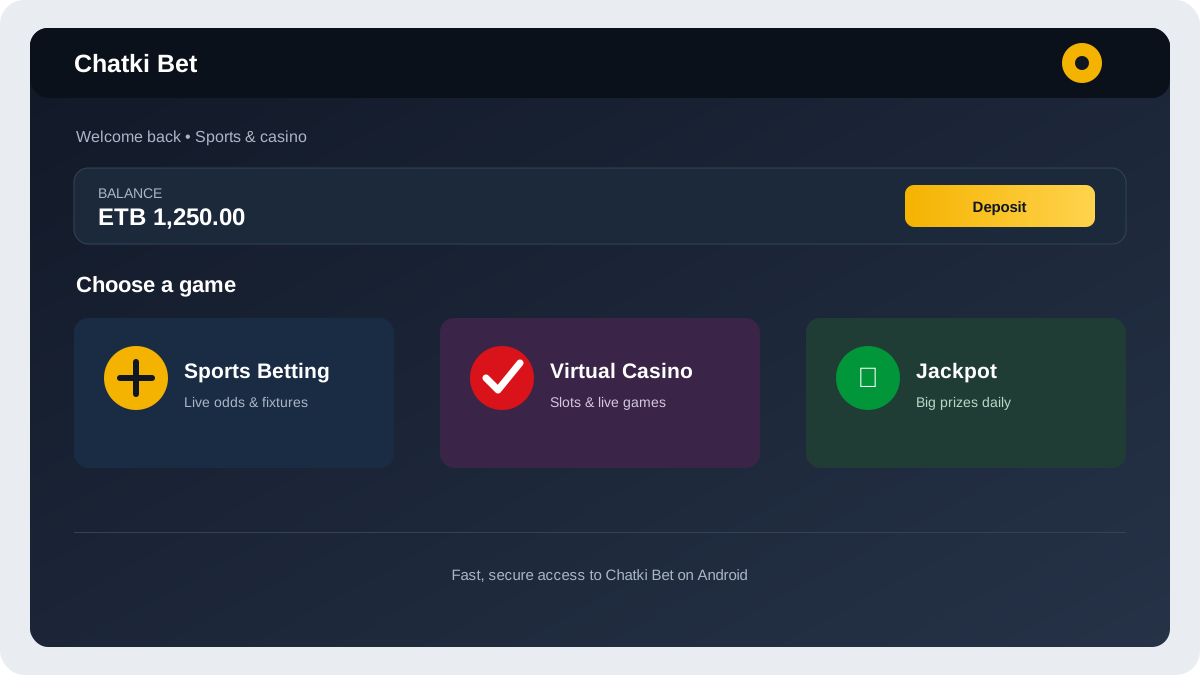
How to Recognise the "Original" Chatki Bet App
As with any popular betting platform in Ethiopia, the risk of encountering fake or modified APKs is real. Unofficial versions of the Chatki Bet app may circulate on social media, messaging apps (Telegram, WhatsApp), and third-party websites. These fake apps can pose serious security risks, including:
- Data theft: Modified apps may capture your login credentials, personal information, or financial data.
- Malware: Some fake APKs contain malicious code that can damage your device or steal data from other apps.
- Non-functional platforms: Even if not malicious, unofficial apps may be outdated, buggy, or non-functional.
How to Stay Safe
- Download only from the official source: The Chatki Bet APK should only be downloaded from the Chatki Bet website. Do not trust links shared on social media, in Telegram groups, or by unknown individuals.
- Verify the URL: Before downloading, check that you are on the genuine Chatki Bet website. Look for the correct domain name and the padlock icon (HTTPS) in your browser's address bar.
- Check file size: While we do not provide a specific file size (as it changes with updates), be suspicious of APK files that are unusually small or large compared to what you would expect from a betting app.
- Read permissions: When installing, review the permissions the app requests. A betting app should not need access to your contacts, SMS messages (beyond verification), or camera (unless for KYC) in an unreasonable way.
- Keep your device secure: Use a device lock (PIN, pattern, or biometric) and keep your Android operating system updated with the latest security patches.
Deposits & Withdrawals in the App
The Chatki Bet app supports the same payment methods as the desktop and mobile website. Managing your funds through the app is designed to be quick and convenient, leveraging the mobile money services that Ethiopian users rely on daily.
Making a Deposit
- Open the Chatki Bet app and log in.
- Tap the \"Deposit\" button (usually located in the main menu or account section).
- Select your preferred payment method (telebirr, CBE Birr, M-Pesa, HelloCash, Amole, Ebirr, or Bank Transfer).
- Enter the amount you wish to deposit.
- Follow the on-screen prompts to confirm the transaction. You may be redirected to your mobile money app or asked to confirm via USSD.
- Once confirmed, the funds should appear in your Chatki Bet account within minutes.
Requesting a Withdrawal
- Navigate to the \"Withdraw\" section in the app.
- Select your withdrawal method (typically the same method used for depositing).
- Enter the amount you wish to withdraw.
- Confirm the request. Processing times vary by method but are generally within 24 hours for mobile money.
For a detailed breakdown of payment methods, processing times, and important notes, see the Deposits & Withdrawals section of our main Chatki Bet review.
Common Problems & Fixes
If you encounter issues with the Chatki Bet app, here are some common problems and their solutions:
App Won't Install
- Check storage space: Make sure your device has enough free storage for the APK and app data.
- Enable unknown sources: Ensure \"Install from unknown sources\" is enabled for your browser or file manager.
- Re-download the APK: The downloaded file may be corrupted. Delete it and download a fresh copy from the official website.
- Check Android version: Make sure your device meets the general system requirements.
App Crashes or Freezes
- Clear cache: Go to Settings → Apps → Chatki Bet → Storage → Clear Cache.
- Restart your device: A simple restart can resolve many performance issues.
- Update the app: Check if a newer version of the APK is available on the official website.
- Reinstall: If the problem persists, uninstall the app and reinstall the latest version.
Login Problems
- Check your credentials: Make sure you are entering the correct mobile number and password.
- Reset password: If you have forgotten your password, use the \"Forgot Password\" option to reset it via SMS.
- Check internet connection: Ensure you have a stable internet connection (Wi-Fi or mobile data).
- Account issues: If your account has been locked due to multiple failed attempts, wait a few minutes or contact support.
Deposit Not Showing
- Wait a few minutes: Mobile money deposits are usually instant but can occasionally take a few minutes to process.
- Check transaction status: Verify through your mobile money app that the transaction was successful.
- Contact support: If the deposit still hasn't appeared after a reasonable time, contact Chatki Bet support with your transaction reference number.
Slow Performance
- Close background apps: Free up device memory by closing apps you are not using.
- Check connection speed: Slow internet can make the app feel sluggish. Switch to a faster network if available.
- Clear cache: Accumulated cache data can slow down the app over time.
- Restart the app: Fully close the app (not just minimise it) and reopen it.
Responsible Gaming in the App
All responsible gaming principles that apply to the Chatki Bet platform apply equally when using the app. The convenience of mobile access makes it even more important to maintain discipline and self-awareness.
Key Reminders
- 21+ only: You must be at least 21 years old to use the Chatki Bet app or any betting platform in Ethiopia.
- Set limits: Use deposit limits, time limits, and loss limits to control your gambling activity.
- Take breaks: The ease of mobile access can lead to longer sessions than intended. Set time reminders and take regular breaks.
- Never chase losses: If you are on a losing streak, do not increase your stakes in an attempt to recover. Walk away.
- Self-exclusion: If you feel that gambling is becoming a problem, contact Chatki Bet support to inquire about self-exclusion options.
- Keep it private: Do not share your app login with anyone, and always log out when using shared devices.
For comprehensive information on responsible gaming, warning signs, and where to get help, see our Responsible Gaming page.

Frequently Asked Questions — Chatki Bet App
Visit the official Chatki Bet website on your Android device, find the app download section, and tap the download button. Once downloaded, enable installation from unknown sources in your device settings, then open the APK file to install. Always download from the official source to avoid fake or malicious apps.
There is no dedicated Chatki Bet app on the Apple App Store. iPhone users can access the full platform through the Safari mobile browser. You can add the website to your home screen for quick access by tapping the Share icon and selecting \"Add to Home Screen.\"
Yes, the Chatki Bet app is completely free to download and install. You only need to deposit funds when you want to place real-money bets or play casino games. There are no download or subscription fees.
Since the app is distributed as an APK outside the Google Play Store, you need to manually download and install updates. Visit the official Chatki Bet website periodically to check for new versions. Install the updated APK over your existing app — no need to uninstall first.
The APK is safe when downloaded from the official Chatki Bet website. The risk comes from fake or modified APKs found on social media, messaging apps, or third-party sites. Always verify the source, check the URL, and avoid unofficial download links.
Yes, the Chatki Bet app provides access to the full range of platform products, including virtual casino games (slots, live casino), jackpot games, and special/instant games, alongside the sportsbook and live betting sections.
Looking for the full Chatki Bet review?
Read the Full Review